
Fill out your easy, customized form right from your phone. Your customer gets a professional, itemized PDF (your flat-rate prices, your add-ons, your terms) while other electricians are only able to get them “a number by Friday”.
Try it yourself below ↓ Get Started →This is the real app your crew uses: the same form, the same service list, the same proposal. Tap through a sample electrical job and see exactly what your customer gets.
Enter your email to instantly receive the PDF proposal shown above, exactly what your customer would get.
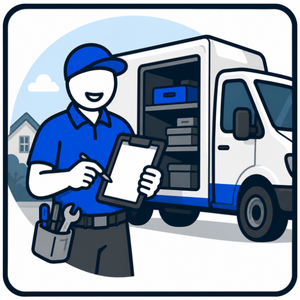
Open your personal form link on your phone. Lights, outlets, panel. Done before you’ve packed up the van.
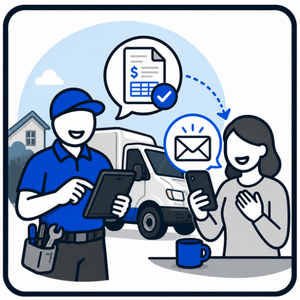
A branded, itemized PDF lands in your customer's inbox instantly, priced from your own rate sheet, with your deposit terms and an accept page for e-signature. You're CC'd on every one.
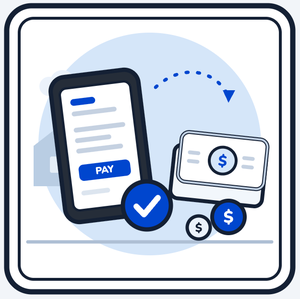
They click Accept and pay the deposit online, often before you've reached the next job. When the job's done, send the balance invoice in one tap: customer, work and deposit are already filled in.
Your proposal arrives as a branded, clean, itemized project proposal with a deposit line and a seamless way to get the job started - Automatically making you appear more professional than your competition.
You don't always need a proposal first. Skip the estimate and send a clean, branded invoice straight from your phone, itemized, with your logo and terms. Your customer can pay by card straight to your account through Stripe, or by Zelle, Venmo, PayPal, Square or check using the payment instructions you print on it. Set your app to open right to invoicing, or switch to it any time with one tap.
Select the services you offer from a large catalog of services specific to your trade, and put your own prices in. Add your logo and paste in your terms and conditions. No setup fees, no hidden fees, nothing to install. You're up and running right away. Change your prices, logo and extras yourself any time from the dashboard.
Choose how you usually bill (proposals, invoices, or both) and your app opens the way you work.
One tier. Everything included.
Log in and change them from your dashboard. It only takes a minute and applies to your very next quote. Older, already-sent proposals still show the price your customer actually saw.
Nothing to install. After set up, you will have an icon on your phone's home screen that it looks and feels like an app, with nothing to install on your phone. It's a simple process and we walk you through it.
Yes, across the U.S. The federal ESIGN Act and each state's electronic-signature law (UETA or an equivalent) give a typed name with a recorded timestamp, IP address and audit trail the same legal weight as a handwritten signature for service contracts. Rules vary by state and trade, so check what applies where you work.
Only if you want to take card payments online. Stripe Connect has no monthly fee (Stripe's standard card-processing fees apply) and takes about five minutes to set up. Prefer Zelle, Venmo, PayPal, Square or check? Your payment instructions print on every proposal and invoice, and you mark it paid when the money arrives. Either way, the money goes straight to you.
We don't archive them long-term. Documents are deleted 90 days after an invoice is closed, and we remind you before that so you can download anything for your records. Two small records are kept after that: your signed e-signature records, for 7 years as legal proof the customer agreed to the price, and a numbers-only record of each job (amounts, services and dates, no customer names or addresses) for 24 months, so your Reports page can show your history.
No. There is no setup fee and nothing to install. Your account opens the moment you finish checkout: tick the services you offer from your trade's list, put your own prices beside them, and you can send a real proposal the same day. It's $49/month, no contract, cancel anytime, with a 7-day money-back guarantee.
Anytime, from one email. No contract and no cancellation fee. Cancel within 7 days of your first paid charge for a full refund of that charge. Your proposal history stays in your inbox either way.
Try the demo above, then add your prices. You'll be quoting from the driveway today.
Start sending today