
Lock the service plan once with a quick proposal. After that, every treatment is a quick invoice from your phone: your customer gets a clean, itemized invoice (your logo, your price) and pays online. No more chasing, no paperwork at night.
Try it yourself below ↓ Get Started →This is the real app: the same invoice screen your crew uses after every visit. Bill a sample pest control customer and see exactly what lands in their inbox.
Enter your email to instantly receive the PDF invoice shown above, exactly what your customer would get.
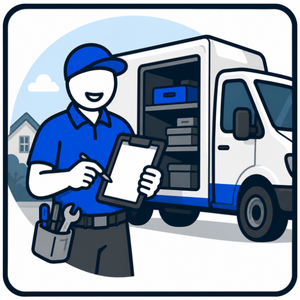
When you land a new customer, send a quick proposal to lock in the recurring price on a signed, on-record agreement. Do it once. The rate is set.
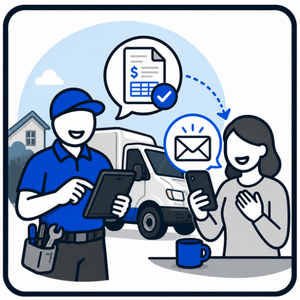
After each treatment, fill in the customer, pick the service from your pricing list and tap send. A branded, itemized invoice (your logo, your price) lands in their inbox instantly. Your prices are already saved, so there's no math and no paperwork at night.
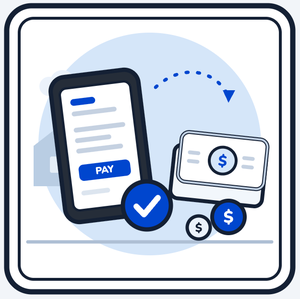
Your customer pays online by card, straight into your own account, or however you already get paid. You get paid faster, every single visit.
Your invoice arrives as a branded, clean, itemized bill with a one-tap way to pay, automatically making you look more professional than the crew still texting “$119 for the quarterly, Venmo me.”
Most visits are just an invoice, but the same tool sends full proposals when you need one: a new customer, a termite treatment, or a one-time clean-out. Proposals or invoices, it’s one app with a one-tap switch. Your customer pays by card straight to your account through Stripe, or by Zelle, Venmo, PayPal, Square or check using the payment instructions you print on it.
Select the services you offer from a large catalog of services specific to your trade, and put your own prices in. Add your logo and paste in your terms and conditions. No setup fees, no hidden fees, nothing to install. You're up and running right away. Change your prices, logo and extras yourself any time from the dashboard.
Choose how you usually bill (proposals, invoices, or both) and your app opens the way you work.
One tier. Everything included.
After each treatment, fill in the customer, pick the service from your pricing list, and send. Your prices are already saved, so it takes seconds.
Once, up front. A quick e-signed proposal locks in the recurring rate on record, useful if a customer ever questions the price. After that, you just invoice.
They tap Pay Now and pay by card through Stripe Connect (no monthly fee; Stripe's standard card fees apply). Money goes straight to your own account. Prefer Zelle, Venmo, PayPal, Square or check? Your payment instructions print on every invoice, and you mark it paid when the money arrives.
No. You get one link. Bookmark it on your phone’s home screen and it looks and works just like an app.
No. There is no setup fee. Your account opens as soon as you're through checkout: tick your services, add your prices, and you're sending the same day. It’s $49/month, no contract, cancel anytime, with a 7-day money-back guarantee.
Anytime, from one email. No contract and no cancellation fee. Cancel within 7 days of your first paid charge for a full refund of that charge.
Try the demo above, then add your prices. You’ll be invoicing from your phone today.
Start sending today