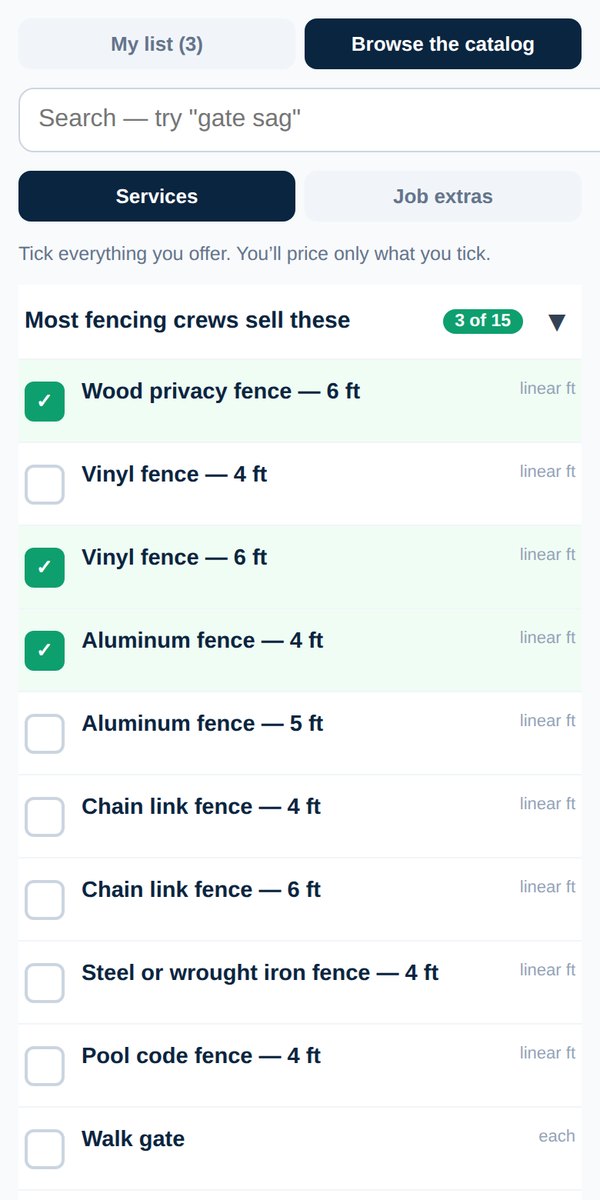
Pick the services you offer
Quick answerDashboard → Your services → Browse the catalog. Your trade already has a full list. Tick everything you offer, and you'll only price what you tick.
Every trade comes with its own list of services, so you don't have to type them.
- Open your dashboard and tap Your services.
- Tap Browse the catalog.
- Tick everything you offer. Use the search box if the list is long. Try a word like "gate" or "gutter guard".
- Tap Save changes.
Your list has two kinds of rows: services you sell (the main work) and job extras (prep, materials, add-ons you bill on top).
Can't find something? Add your own service.
Was this helpful?