Send the balance invoice when the job's done
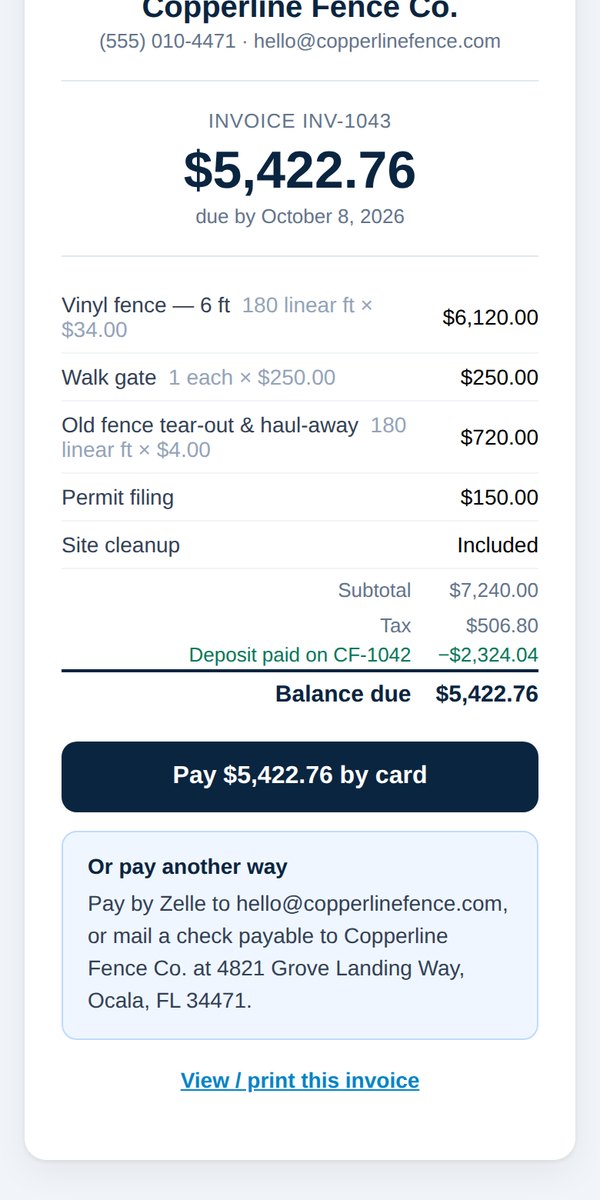
Quick answerOpen the job in Jobs & payments and tap Send an invoice for the balance. It opens with the customer, address and balance filled in, with the deposit already credited.
A proposal only collects the deposit. When the work is done, invoice the rest.
- In your dashboard, open Jobs & payments and tap the job.
- Tap Send an invoice for the balance.
- The invoice opens with the customer, address and work filled in. The deposit is already credited.
- Check it over and send.
The customer can pay by card from the email, or by the other methods in your payment instructions.
Was this helpful?