Create your account
Quick answerPick your trade on the sign-up page, enter your business email and name, and go through secure checkout. Then choose a password and your dashboard opens.
Signing up takes a couple of minutes.
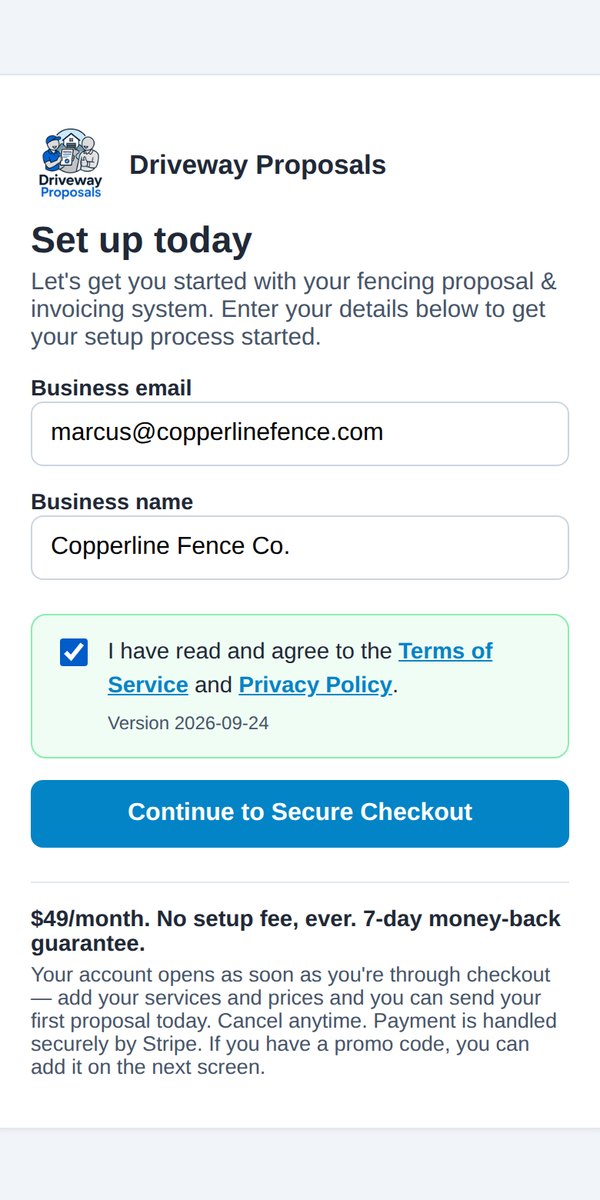
- Go to the sign-up page and choose your trade.
- Enter your business email and business name. Use an email you check. You'll sign in with it, and it's where your receipts go.
- Tick the box to agree to the Terms of Service and Privacy Policy.
- Tap Continue to Secure Checkout and enter your card. Payment is handled by Stripe.
- Pick a password (at least 10 characters) and tap Save and open my dashboard. That's your email and password for signing in from now on.
You'll also get a welcome email with a link to your dashboard and a link to your proposal & invoice form. Keep it.
Tip: Setting up is easiest on a laptop, because that's where your logo file usually is. Everything after setup is built for your phone.
Next: Add your business details, then pick your services.
Was this helpful?