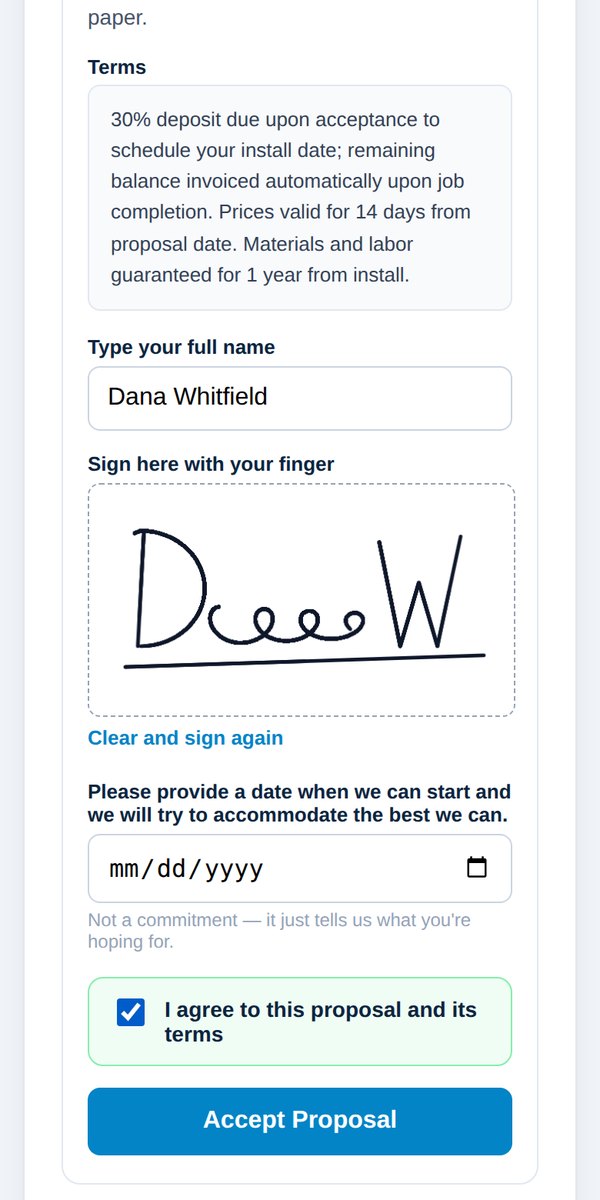
Customer signs in person
Quick answerAfter sending, choose they're signing here on your phone. Hand them your phone to read the terms, type their name and sign with a finger. Then record how the deposit is paid.
Close the job while you're still in the driveway.
- After you send the proposal, choose They're signing here, on my phone, right now.
- Tap Open the Signing Screen and hand your phone to the customer.
- They read the terms, type their full name and sign with their finger.
Important: Never type their name or sign for them. The customer must do it themselves.
- When they hand the phone back, pick how the deposit is being paid: Card, Check, Cash, Zelle / Venmo / other, or Not today.
- Agree a start date while you're face to face, if you can.
The customer gets a signed copy by email, and a receipt when the deposit is recorded.
Was this helpful?