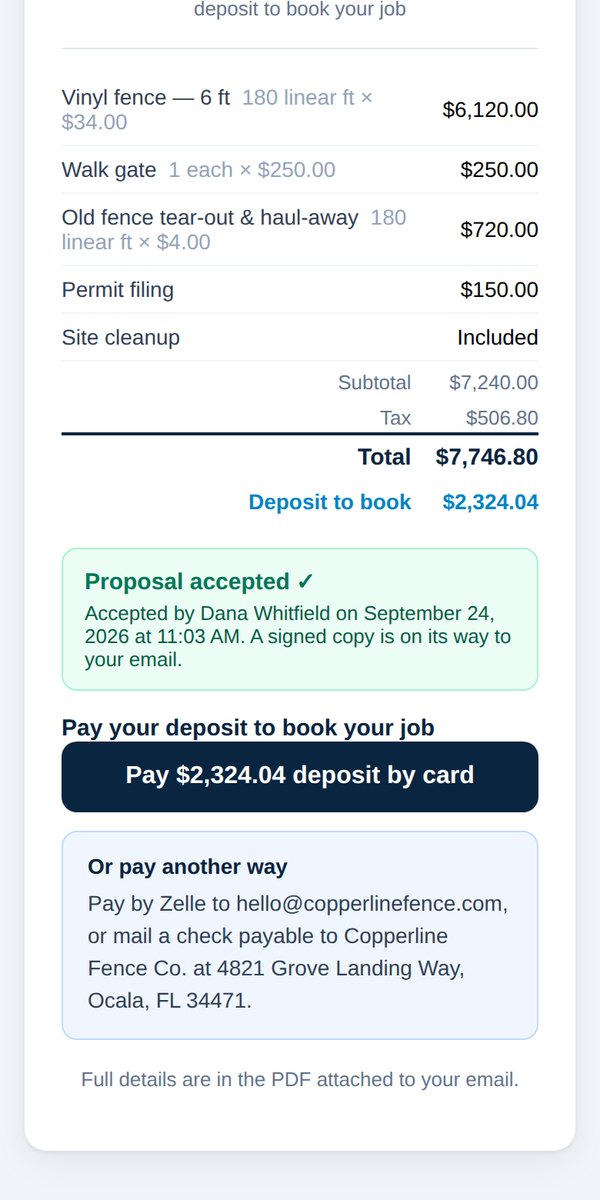
Take a deposit by card
Quick answerCustomers pay from the Pay button in their proposal email. In person, choose Card after they sign and tap Take card payment. From the dashboard, open the job and copy the payment link.
Card payments must be turned on first. See Turn on card payments.
Customer pays from their email
Every proposal email has a button to accept and pay the deposit. Nothing for you to do. You get a "You've been paid" email when it goes through.
In person, after they sign
- Choose Card as the deposit method.
- Tap Take card payment and hand them your phone to enter their card.
From your dashboard
- Open Jobs & payments and tap the job.
- Use Copy payment link and text or email it to the customer.
Card payments record themselves. There's nothing to mark as paid.
Was this helpful?