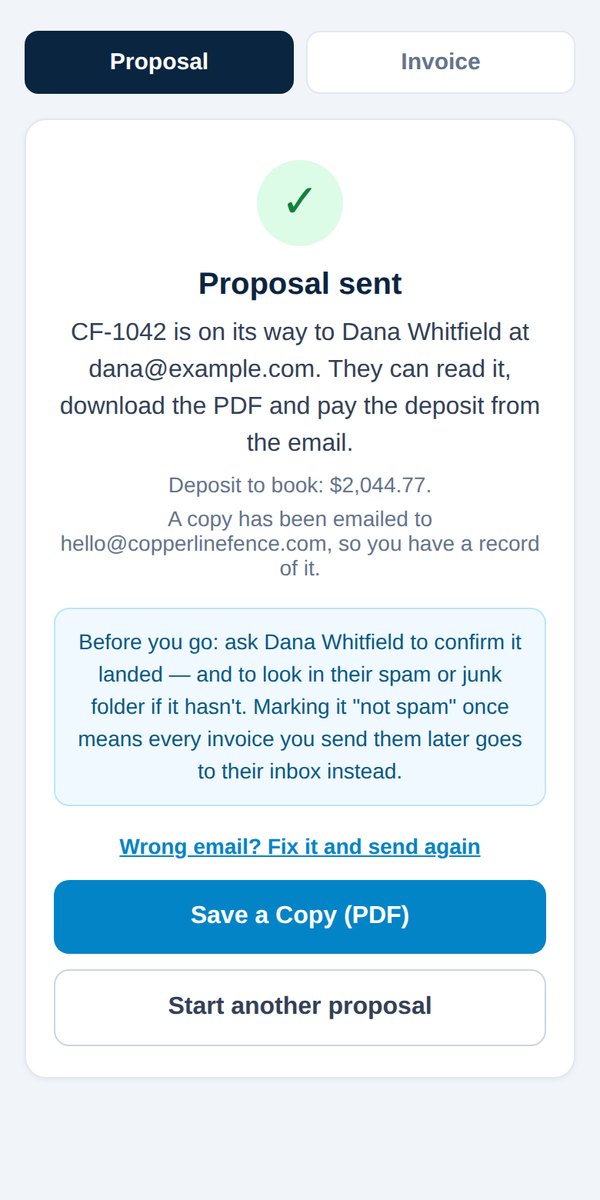
Resend a proposal, or fix a customer's email
Quick answerOn the Proposal sent screen, tap Wrong email? Fix it and send again. Later, open the job in Jobs & payments and use Email this proposal again. The fix also updates the job.
Right after sending
- On the Proposal sent screen, tap Wrong email? Fix it and send again.
- Type the right address and tap Correct Address & Send.
Any time later
- In your dashboard, open Jobs & payments and tap the job.
- Tap Email this proposal again. You can fix the address there too.
Either way, the job itself is updated, so receipts and invoices go to the right inbox from then on.
Need to change the customer's name, address or phone instead? Those can't be changed on a sent proposal. See Change a customer's name, address or phone.
Was this helpful?