Send a proposal from your phone
Quick answerOpen your form, fill in the customer, add services and amounts, tap Review Proposal to check it, then send. The customer gets an email to read, sign and pay the deposit.
- Open your form (the icon with your business name).
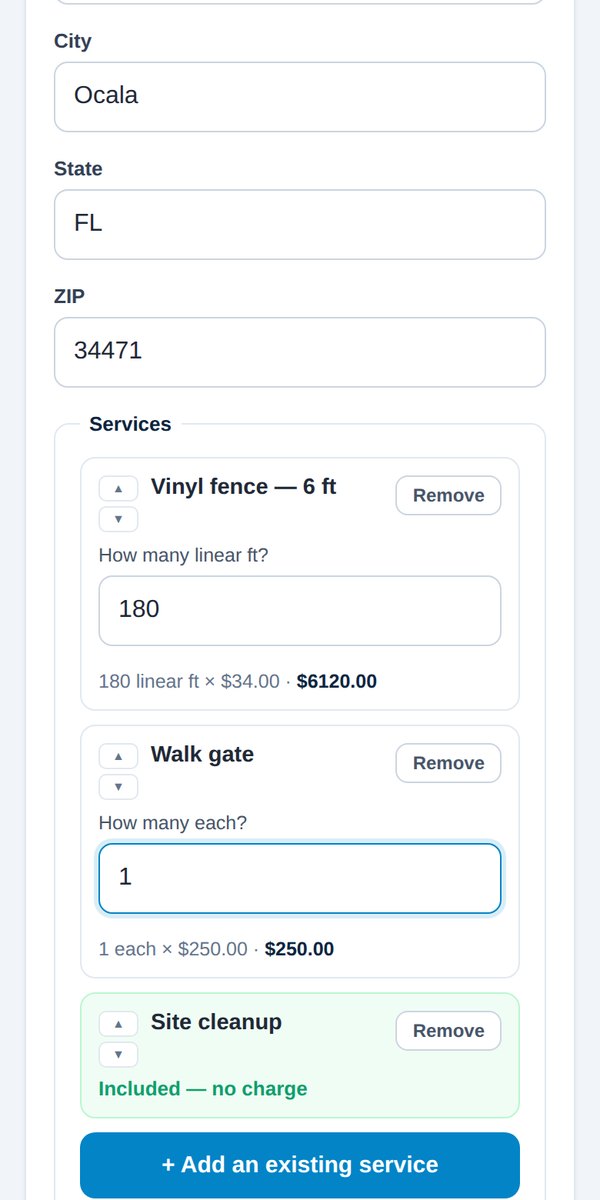
- On the Proposal tab, fill in the customer's name, email and job address. Phone is optional.
- Add services. Search your list, then type the amounts (feet, windows, hours and so on). The total updates as you type.
- Add notes if you need to.
- Tap Review Proposal. This is exactly what your customer will get. Nothing has been sent yet.
- Send it.
Next, choose how the customer is signing:
- Here, on my phone, right now. See Customer signs in person.
- Later, from their own phone. See Customer signs by email.
Tip: Ask the customer to check it arrived, and to look in spam if it hasn't. Marking it "not spam" once means your future emails reach their inbox.
Was this helpful?